
Trofy
Category:
Productivity Mobile App
Tech Stack:
Inspiration:
Duolingo
Trofy is a mobile app with the objective to help you achieve your goals by gamifying personal objectives and reinforcing the development of good habits. The name refers to the act of receiving a trophy given to yourself by yourself.
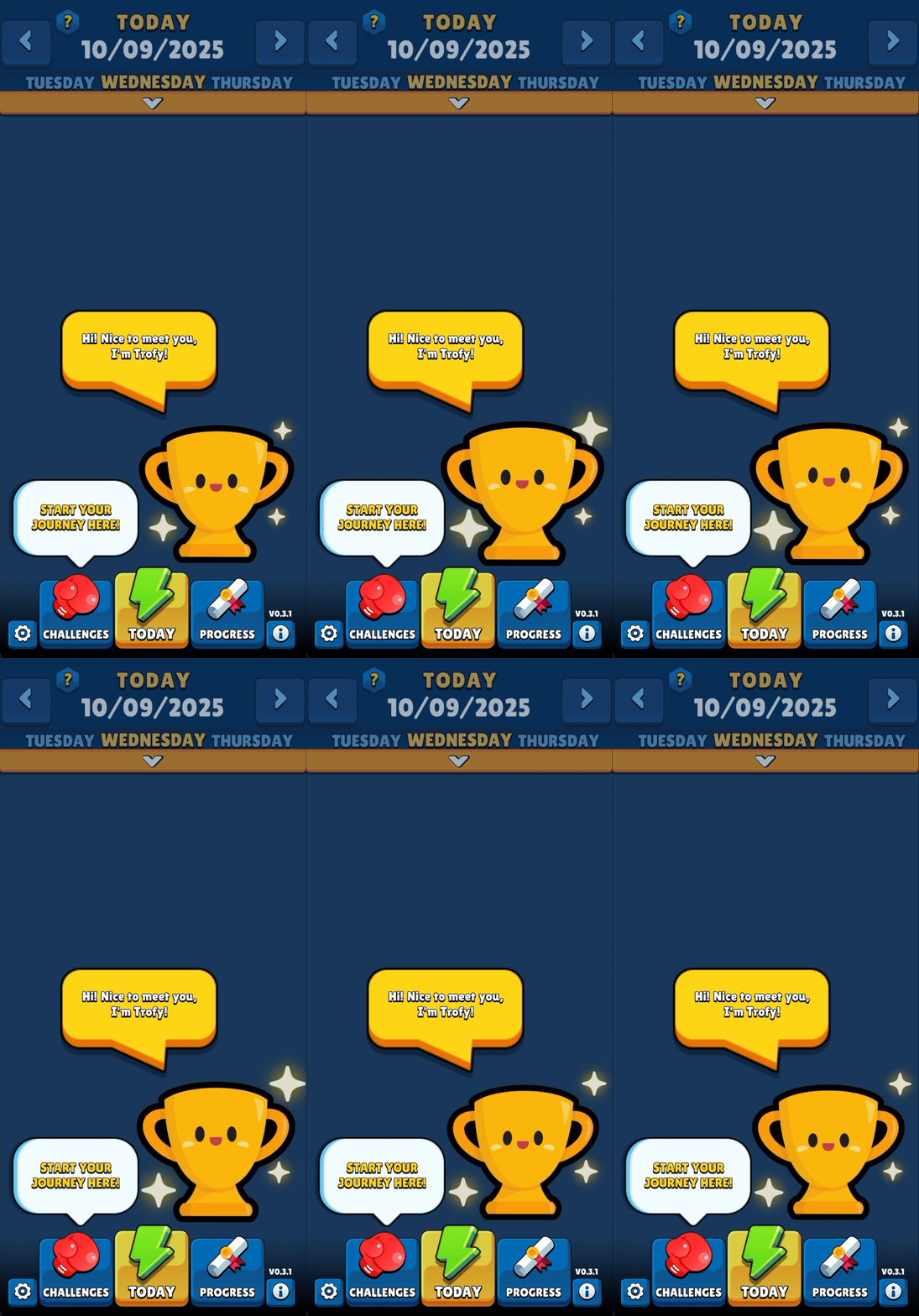
After years of struggling with procrastination as a kid, it slowly became clear that the best way to create motivation to maintain new habits was to document and review the progress over time. Seeing historical trends of even slightly improvements motivated me to keep going. Trofy's objective was to transform that methodology into a game that would inspire others to focus on personal improvement with a gamified approach.
The app's idea was inspired by Duolingo's gamified education methodology, where users have clear progression goals, get points to spend on extra lives, and can easily opt-in to compete with other users in in-app ladders with multiple levels of difficulty ranks.
Concepts
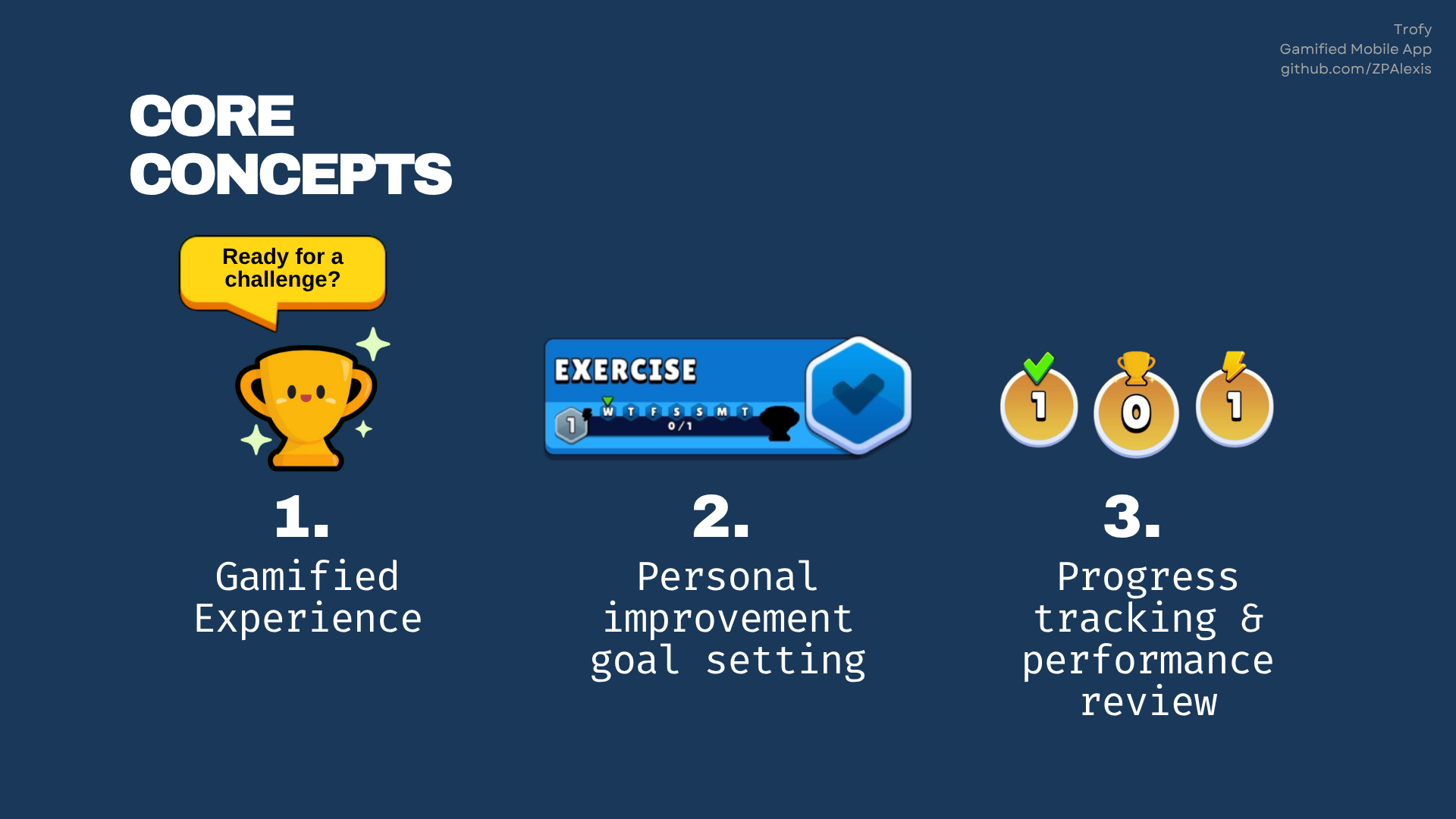
The app's structure is divided in a few core pillars:
1. Gamified experience
While Trofy is a “to-do like” app in it's core, it's main aspect is to resemble a game. Users should feel like playing a game by completing in-app tasks for personal objectives.
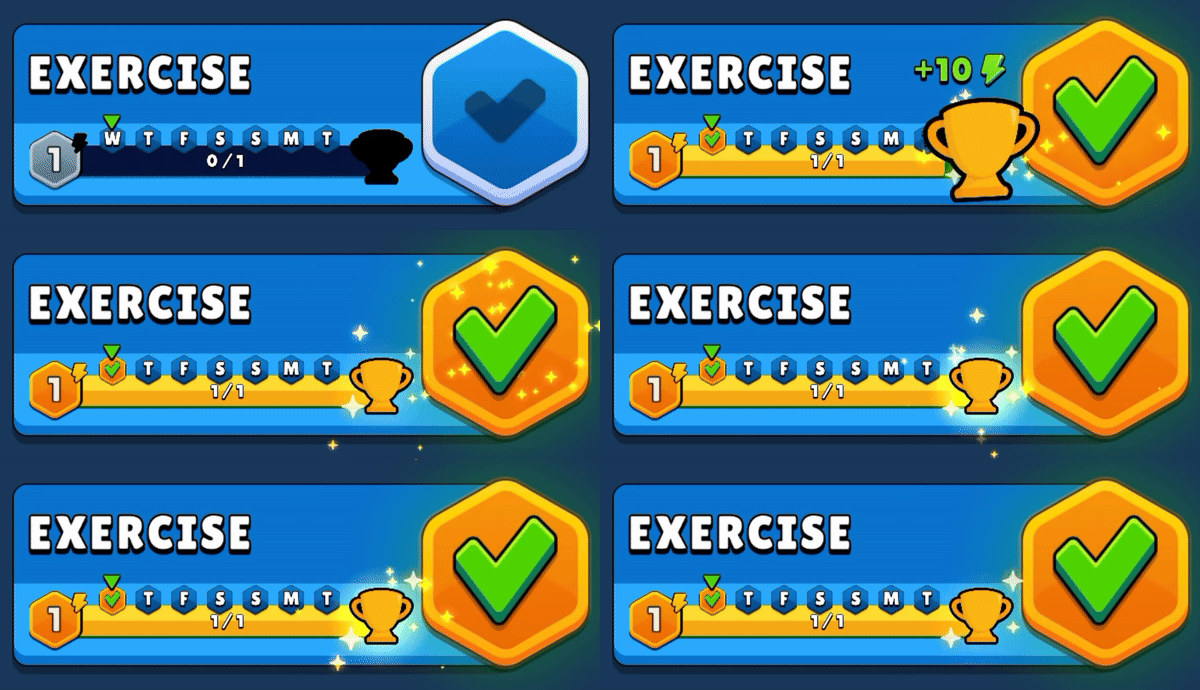
The gamification system was designed to motivate users with two positive feedback loops on Challenge completion: a trophy as a reward, and a level-up system on reaching a certain consistency of use.
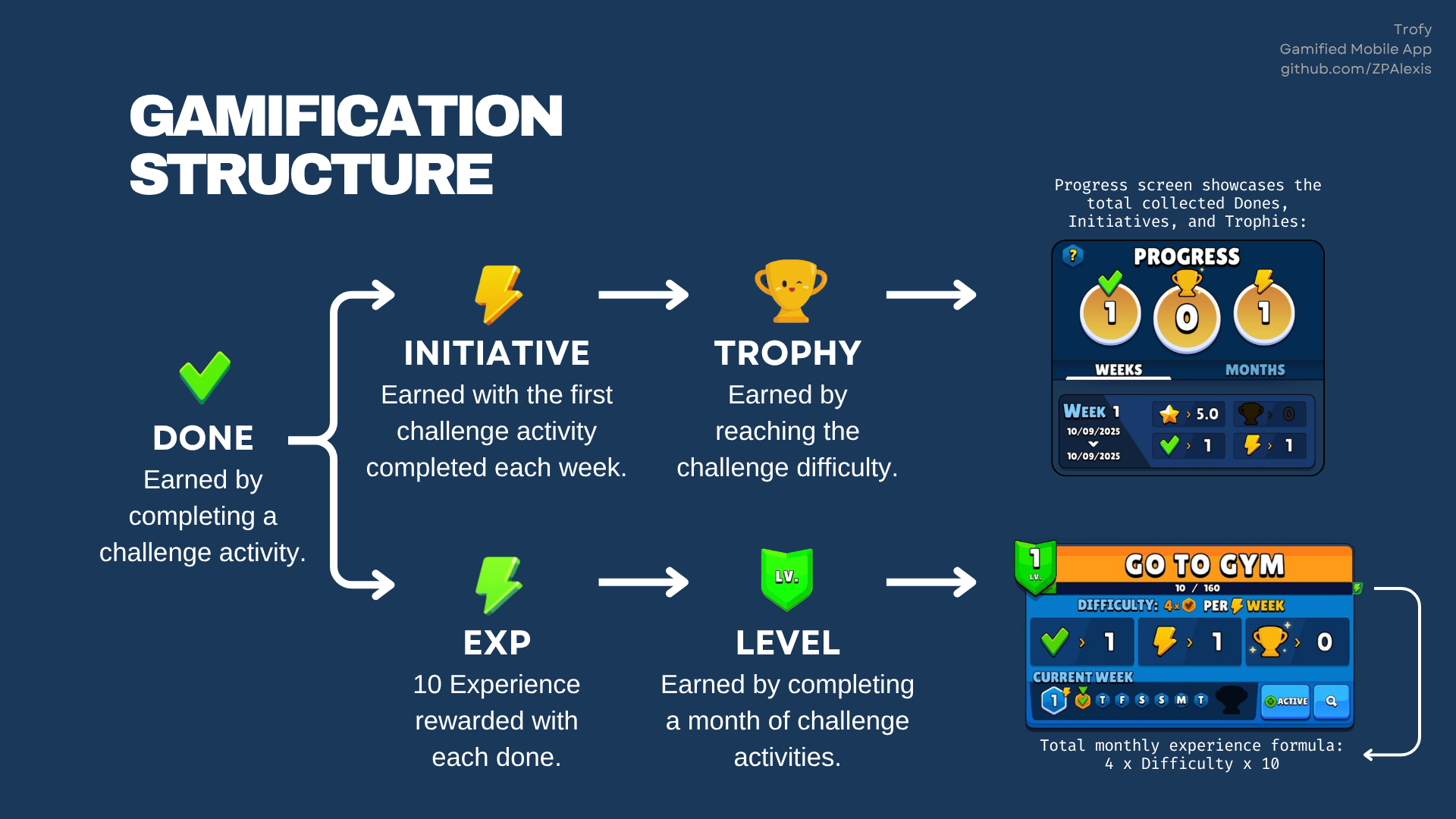
A challenge in Trofy is defined by an activity that must be completed at least once a week. This means that a user can earn a Trophy every week, and a level on that challenge every month.
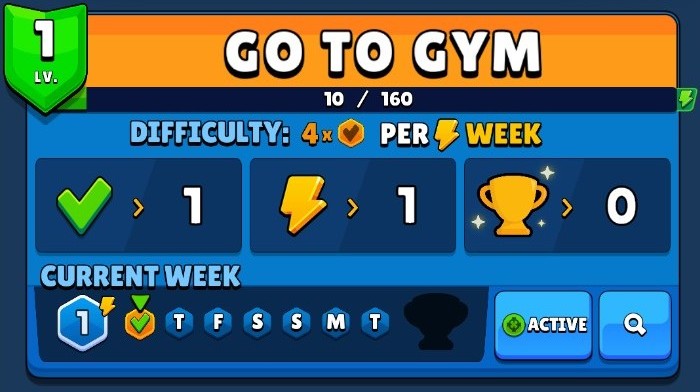
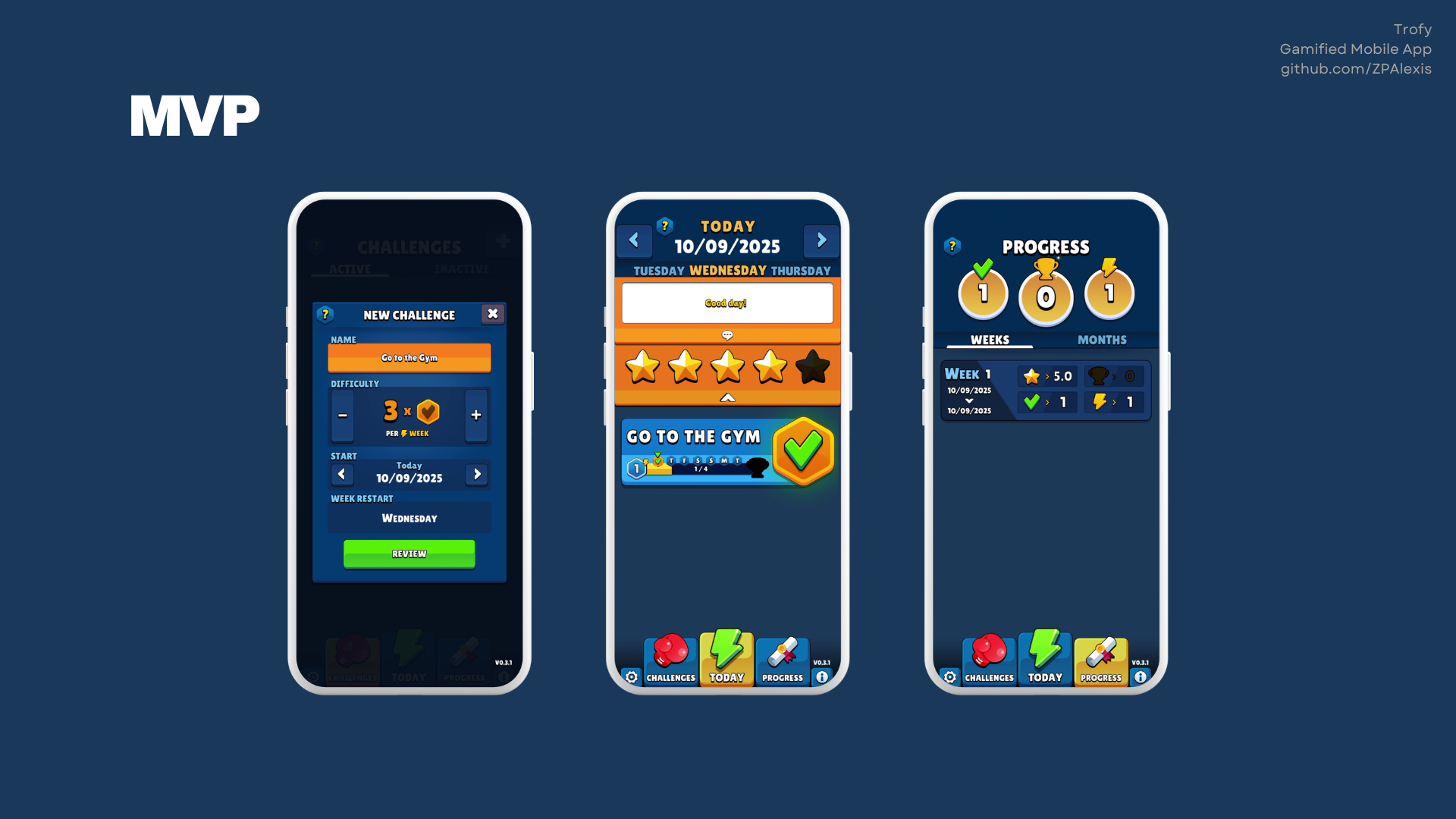
Trofy's MVP focused on building the core gamified experience, including the user interface and visual feedback. Community features like competitions, objective sharing, and account systems were kept out of scope as they would require significant backend development beyond the project's allocated timeframe. However, these features would be essential to make the app truly gamified and ready for a full v1.0 release.
2. Personal improvement goal setting
The main drive for using the app is to be able to quickly create, update, and review important personal objectives.
A challenge in Trofy is defined by a task that must be completed at least once a week. When creating a challenge, a user has the ability to customize two main properties:
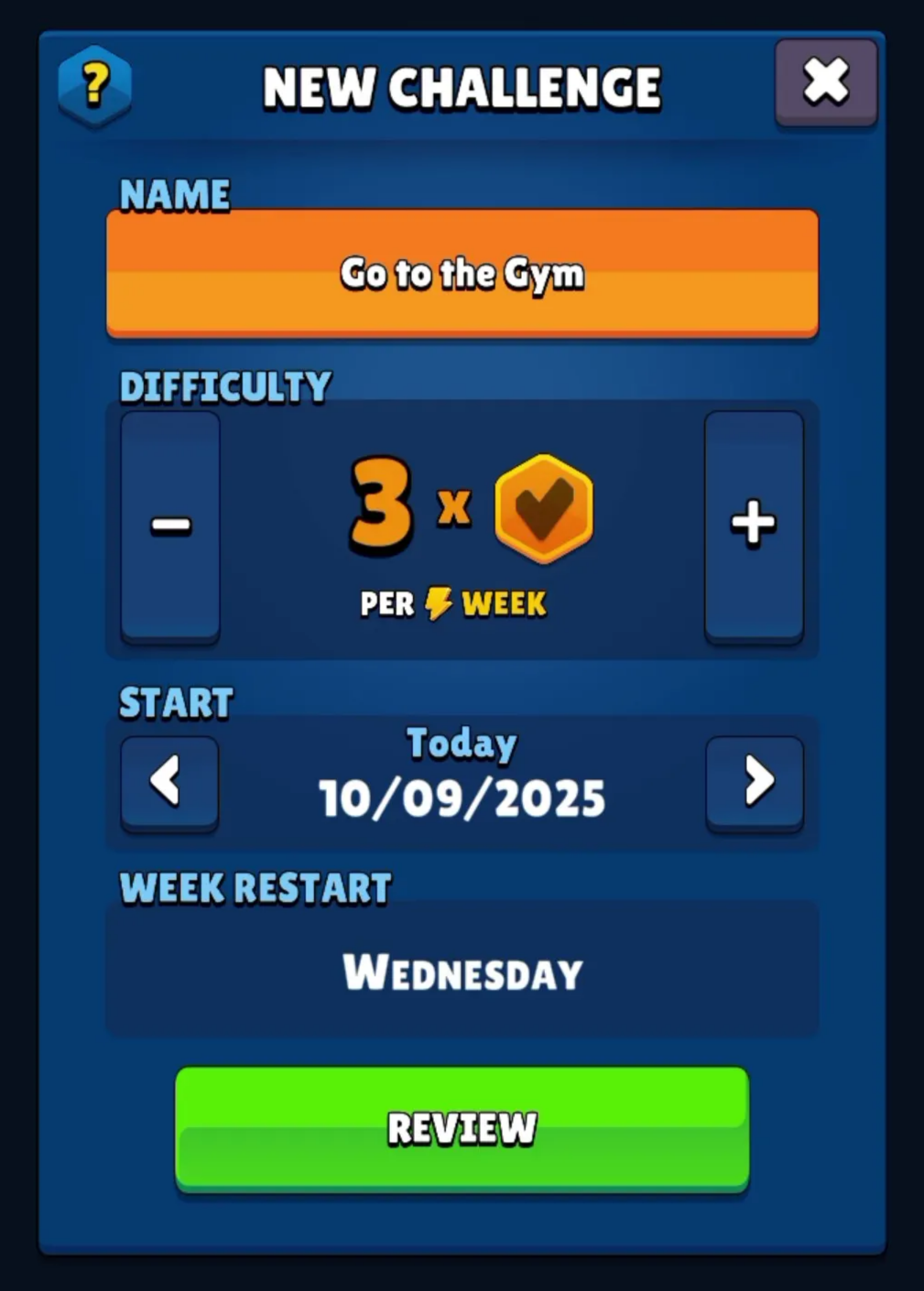
- Frequency (Difficulty):
Defines the number of days in a week that the task needs to be completed. A challenge can be a single weekly task, or something that needs to be completed everyday.
- Weekly Start Date (Start):
Defines when the challenge starts and the day of the week that it restarts. If you define an objective to start on a Wednesday, it means the weekly challenge always starts on Wednesdays and ends on Tuesdays at the end of the day.
3. Progress tracking & performance review
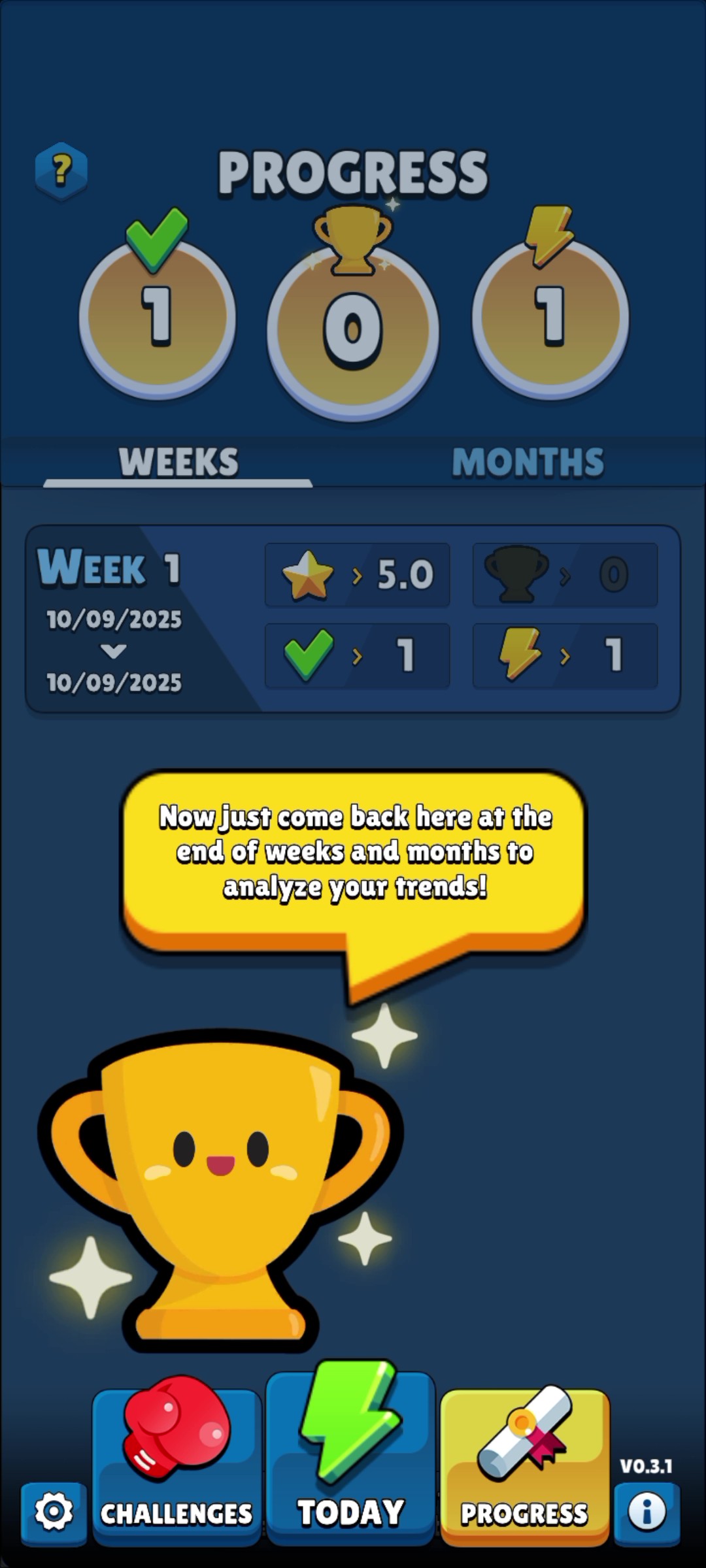
Each objective clearly displays their progress so the user can have a general idea of how they are doing in a quick glance. Since each objective can have a different amount of days required to be completed in a week, each objective will have their own percentage progression for that week and history since it was created.
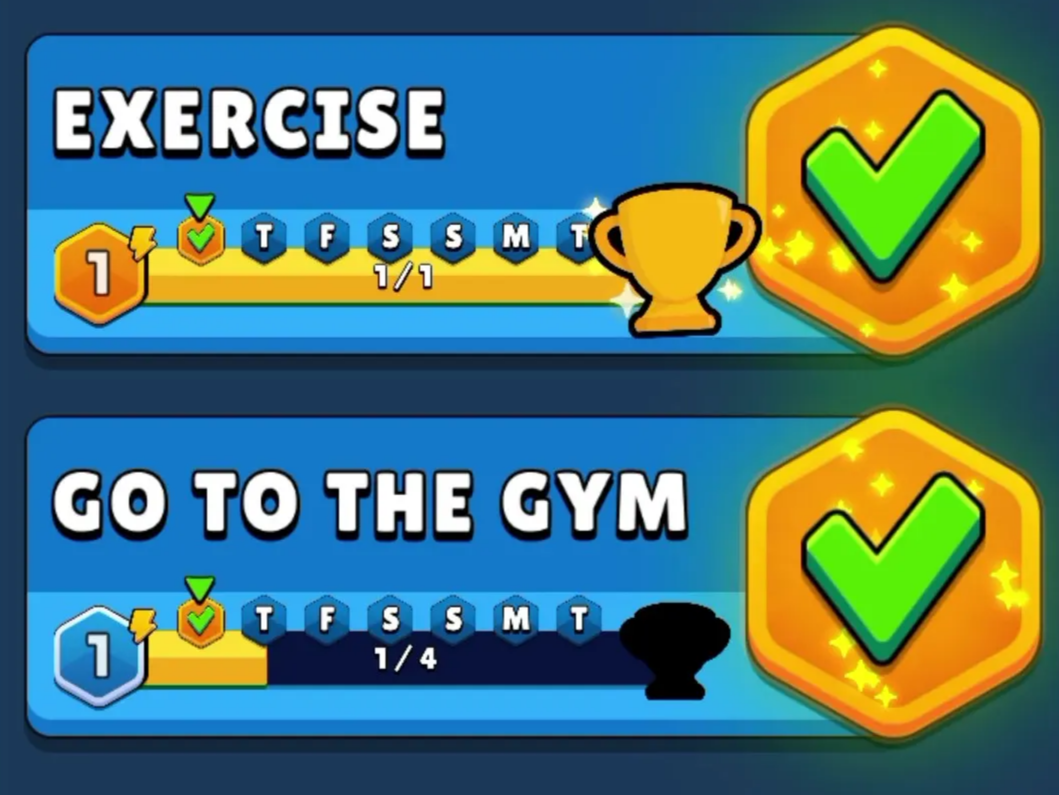
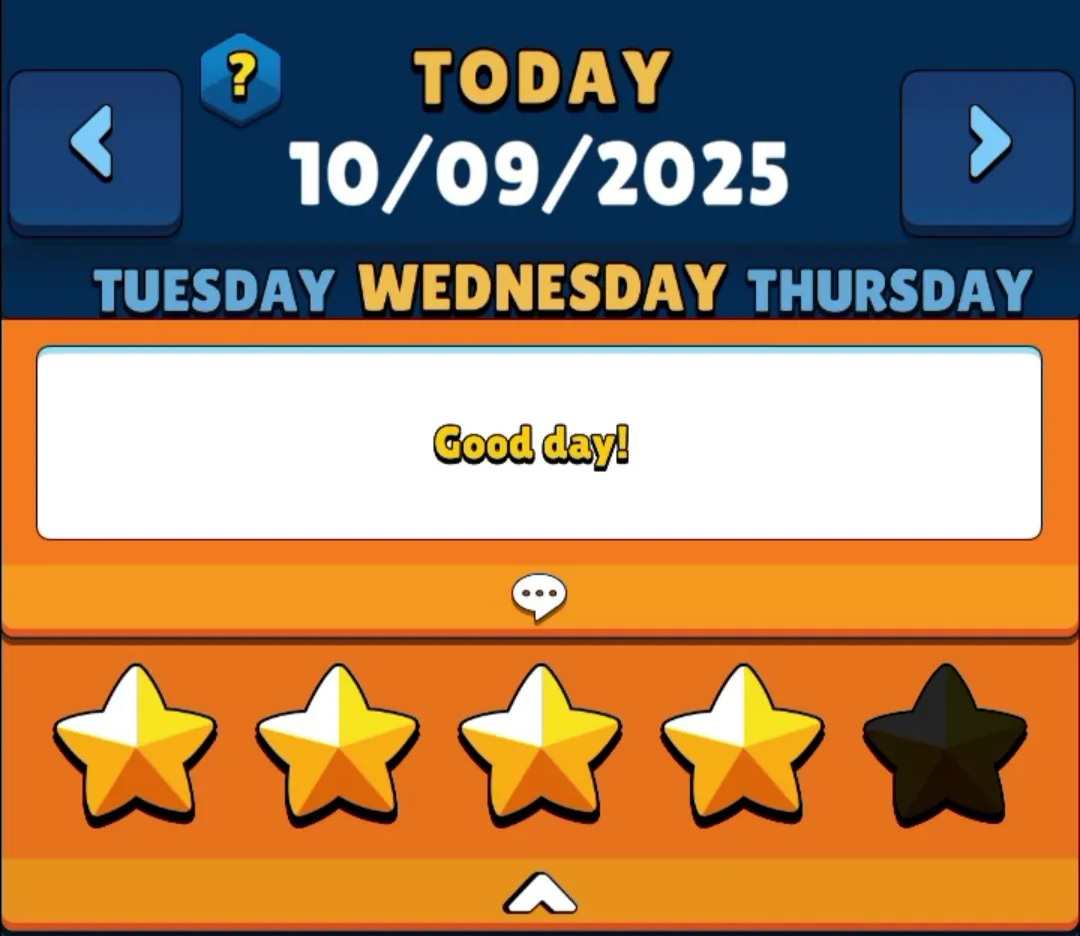
The user can also leave a short written note and rate from 1 to 5 stars each day of the week. This very simple feature can give the user some additional context when reviewing their progress at a later date.
The progress tab is where it all comes together to quickly show how much the user has improved since they started using the app. Being able to review overall progression in a quick glance should be the main motivating factor to bring users back to the app and to continue focusing on their personal priorities.
Flow
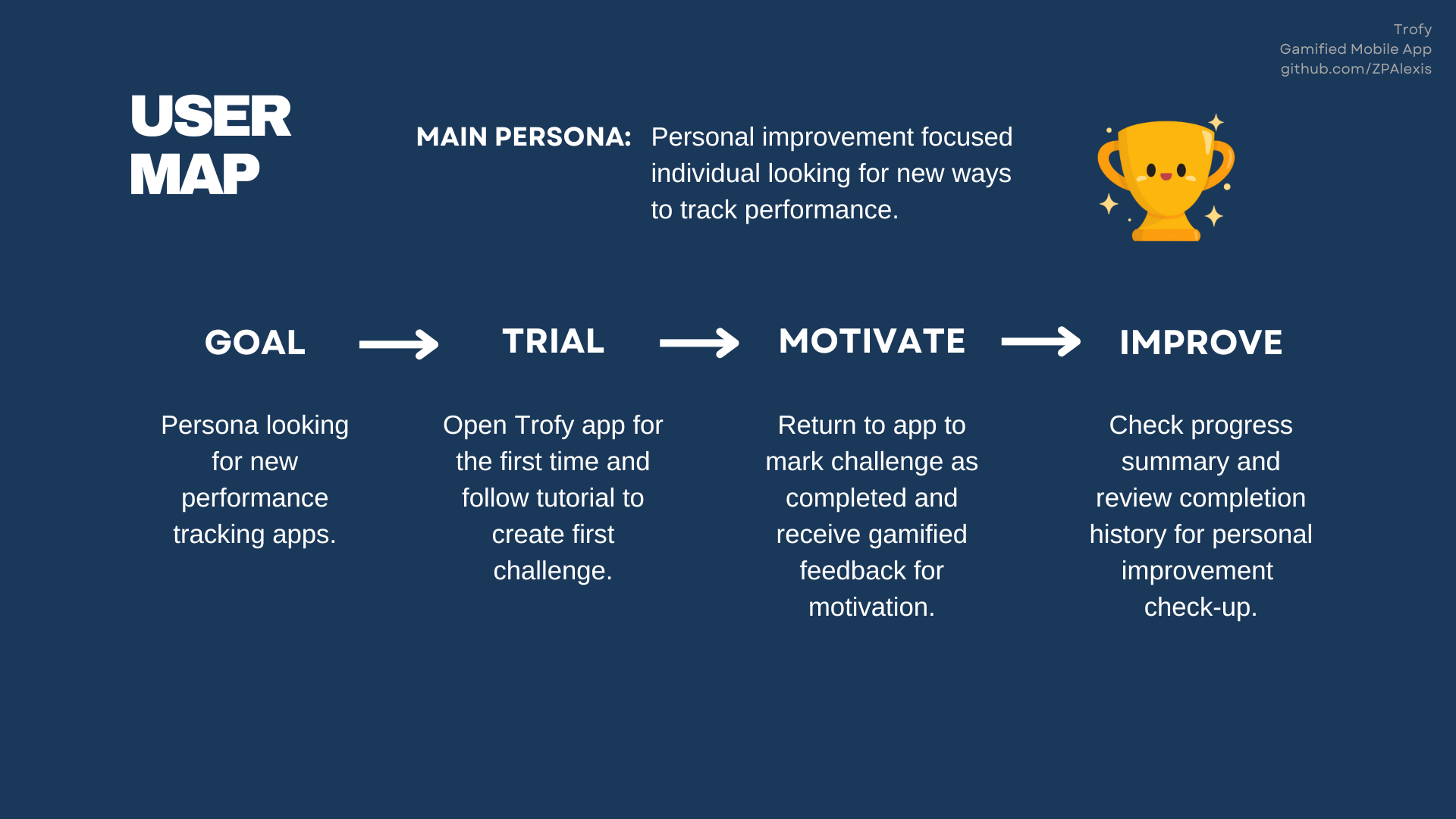
Trofy's goal of encouraging good habits guided the structure of the user journey. The experience was designed as a positive feedback loop — motivating users to go beyond their goals and return regularly to continue improving.
At its core, the app functions like a to-do list. The biggest difference outside of the gamified approach is the opportunity to fully track past progress, check trends, and provide opportunities for the user to reflect and reprioritize their objectives.
Stack

Developing a few demo games previously in Unity inspired this project and provided a solid foundation for a gamified app. Unity provided a solid way to develop logic behind constantly animated objects and a seamless solution to port the application to iOS and Android mobile devices.
Csharp is the programming language used in Unity. After learning the foundations of the language, it was refreshing to implement more challenging logic with the notifications controller, save and load systems, and day list managers.
This was also the first time working with AI tools to improve on the code being written and to help with more complex logic that was beyond my realm of knowledge. I wrote more details on my use of these tools on the learnings section and on our about page.
Architecture
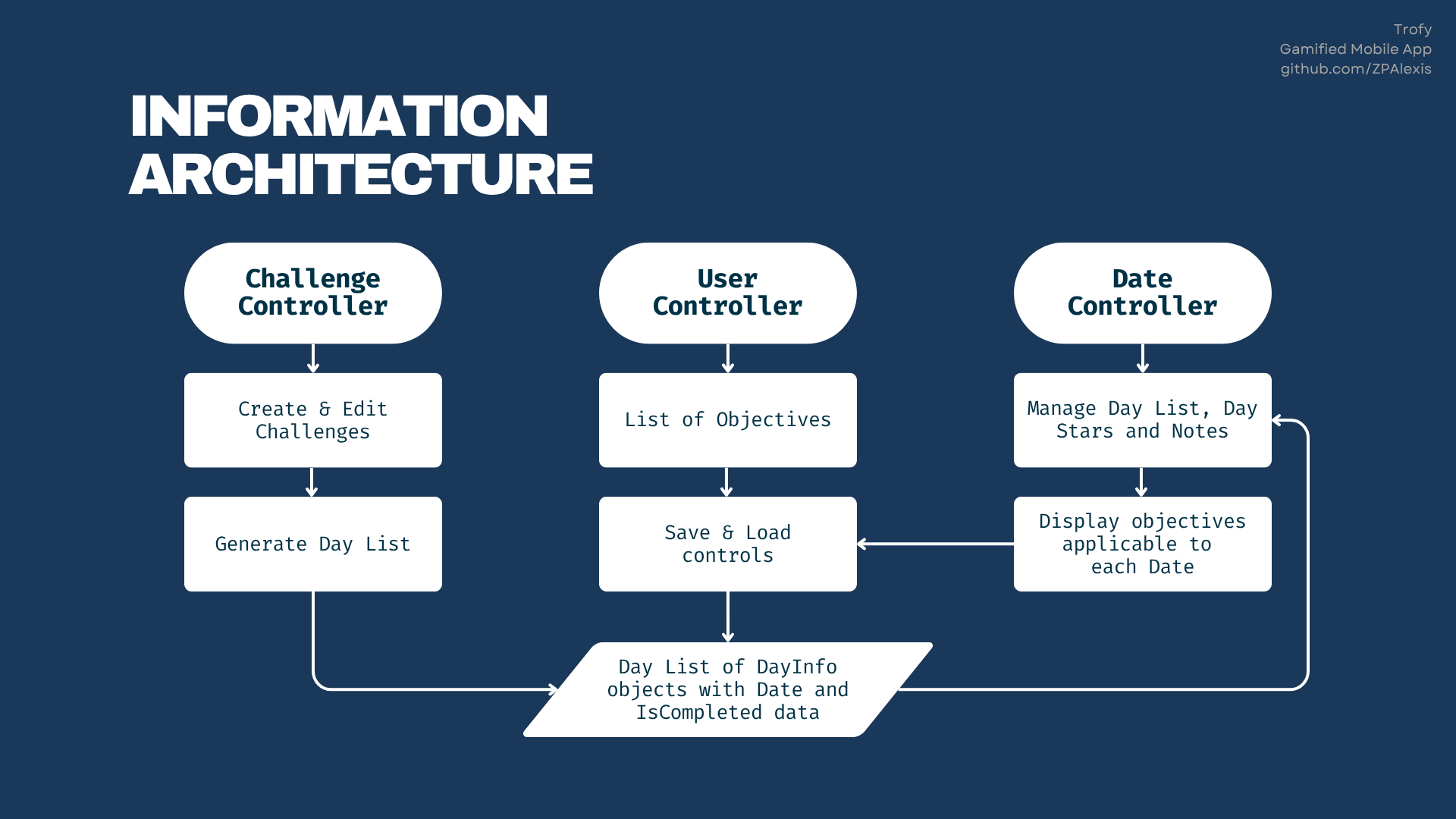
The core component of Trofy's logic system is focused on the Day List objects, it is used and referenced by all main components of the app.
Every objective generates a list of days in a week's period. This list is then updated by the User Controller through user input, and then accessed by the Date Controller to display today's applicable objectives and any history of completion on the progress tab.
This is the code that controls the initial generation of a week's day list from the Objective Controller. Once the initial generated week is completed, the code automatically triggers the generation of additional weeks for the next objective periods.
//Objective Controller Code Snippet

public void GenerateDayList() {
  dayList = new List();
  int startDayOfWeek = (int)startDate.DayOfWeek;

  for (int i = startDayOfWeek; i < startDayOfWeek + 7; i++)
  {
    DateTime currentDay = startDate.AddDays(i - startDayOfWeek);
    DayInfo dayInfo = new DayInfo(currentDay, (i) % 7, 1, difficulty);
    dayList.Add(dayInfo);
  }

  DateTime currentDate = DateTime.Now;
  CheckDayList(currentDate);
}
Another notable area from Trofy's design is the logic behind the notifications sent by the app. Push notifications are one of the biggest benefits of working with mobile devices. In order to have an engaging and effective experience, it would be crucial to implement a system that provided periodic reminders to the user and motivational messages to bring them back after periods of inactivity.
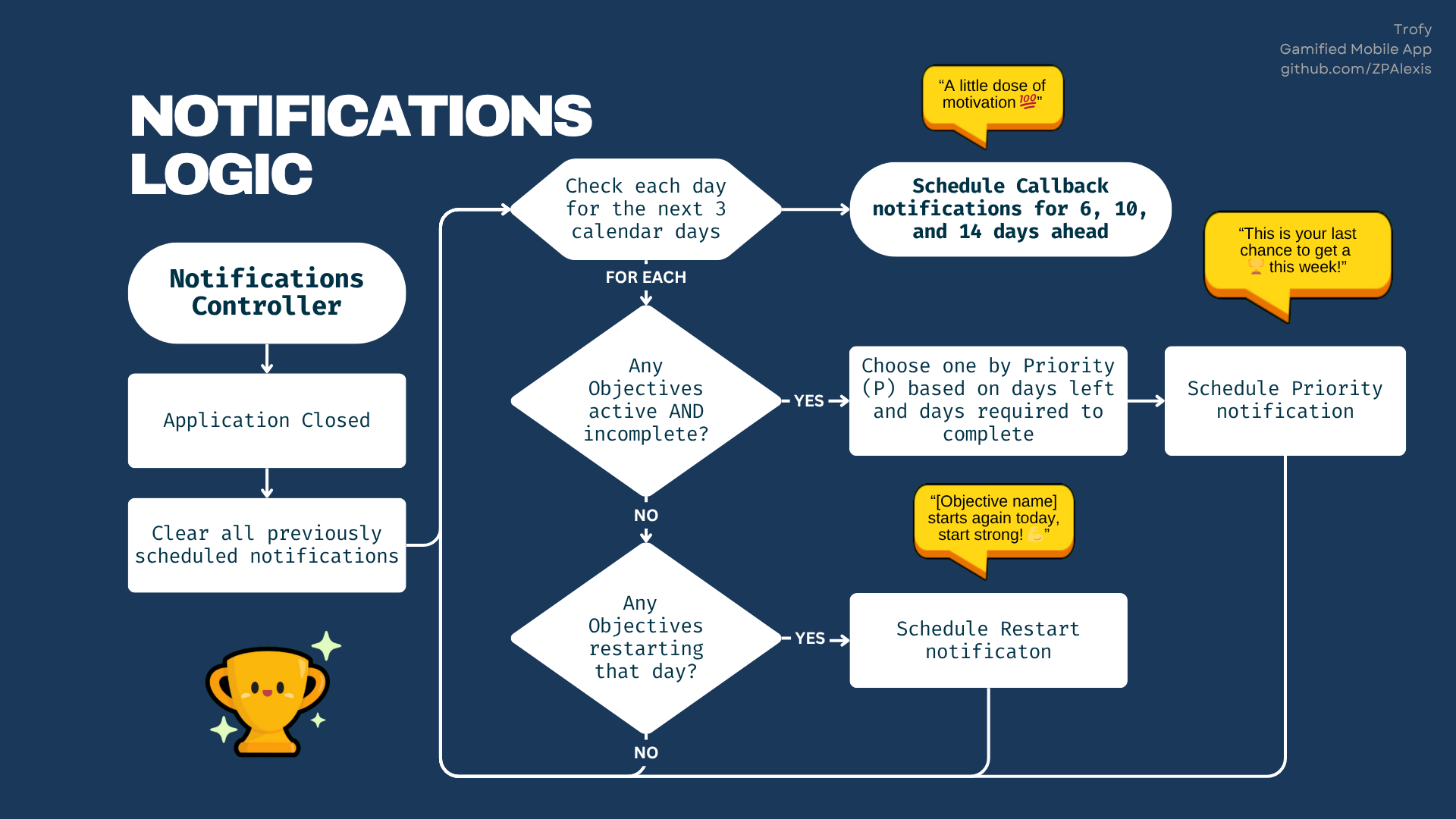
Trofy's notifications system was structured with three types of notification schedules:
- Priority notifications
Reminders on how many days left in a objective that still isn't complete this week — “This is your last chance to get a 🏆 this week!”.
- Restart notifications
Reminders on new week starts — “Exercise starts again today, start strong 💪”.
- Callback notifications
Motivational reminders to bring back the user to the app after many days of inactivity — “Your struggles make you stronger. Your obstacles pave the way for success 💯”.
Another feature worth a highligh was the logic behind the localization system built for the language switcher. With a simple tap, users can change the app's language instantly.
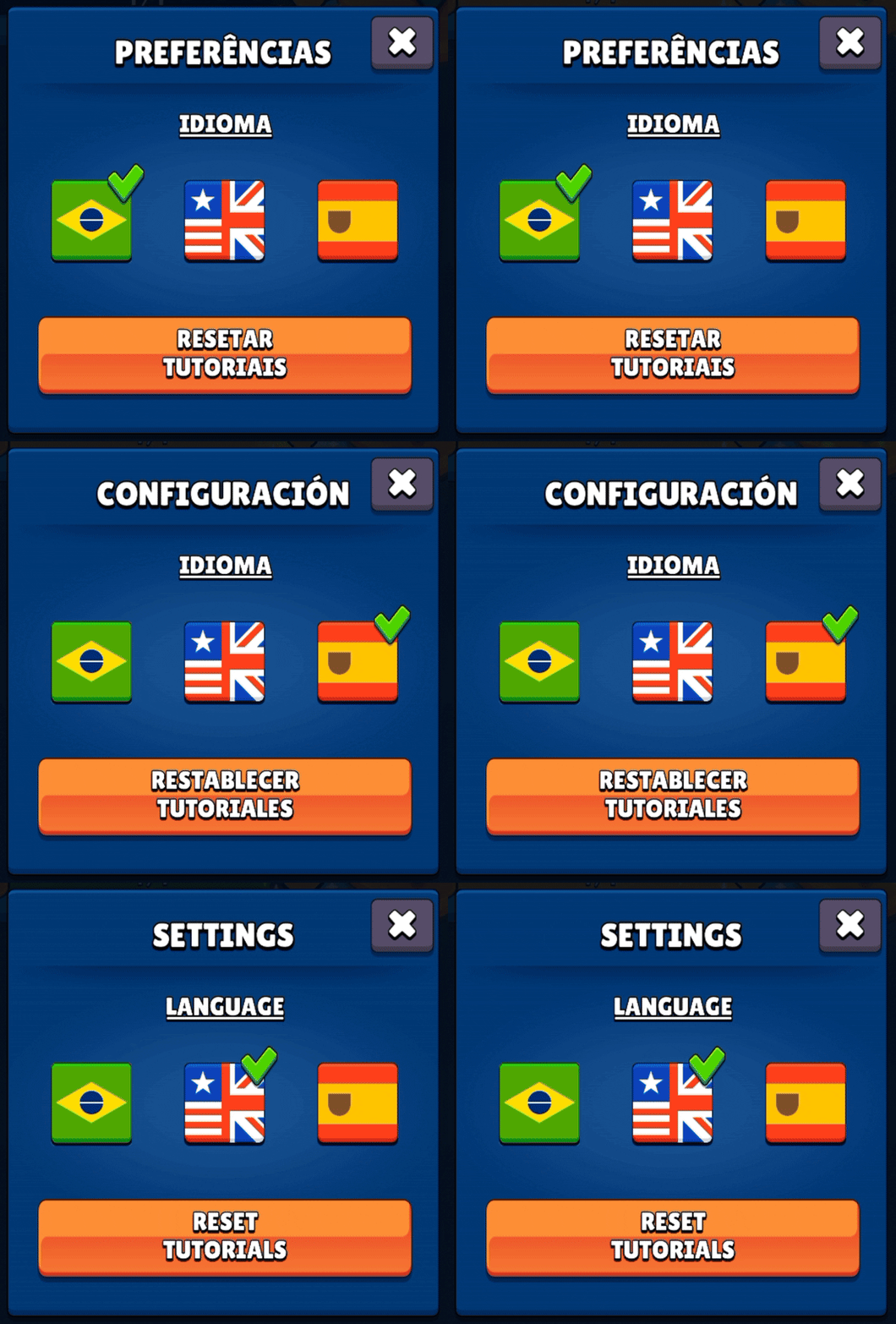
The localization system works by replacing text strings based on spreadsheet-style tables that map each interface element to its translation.
Design
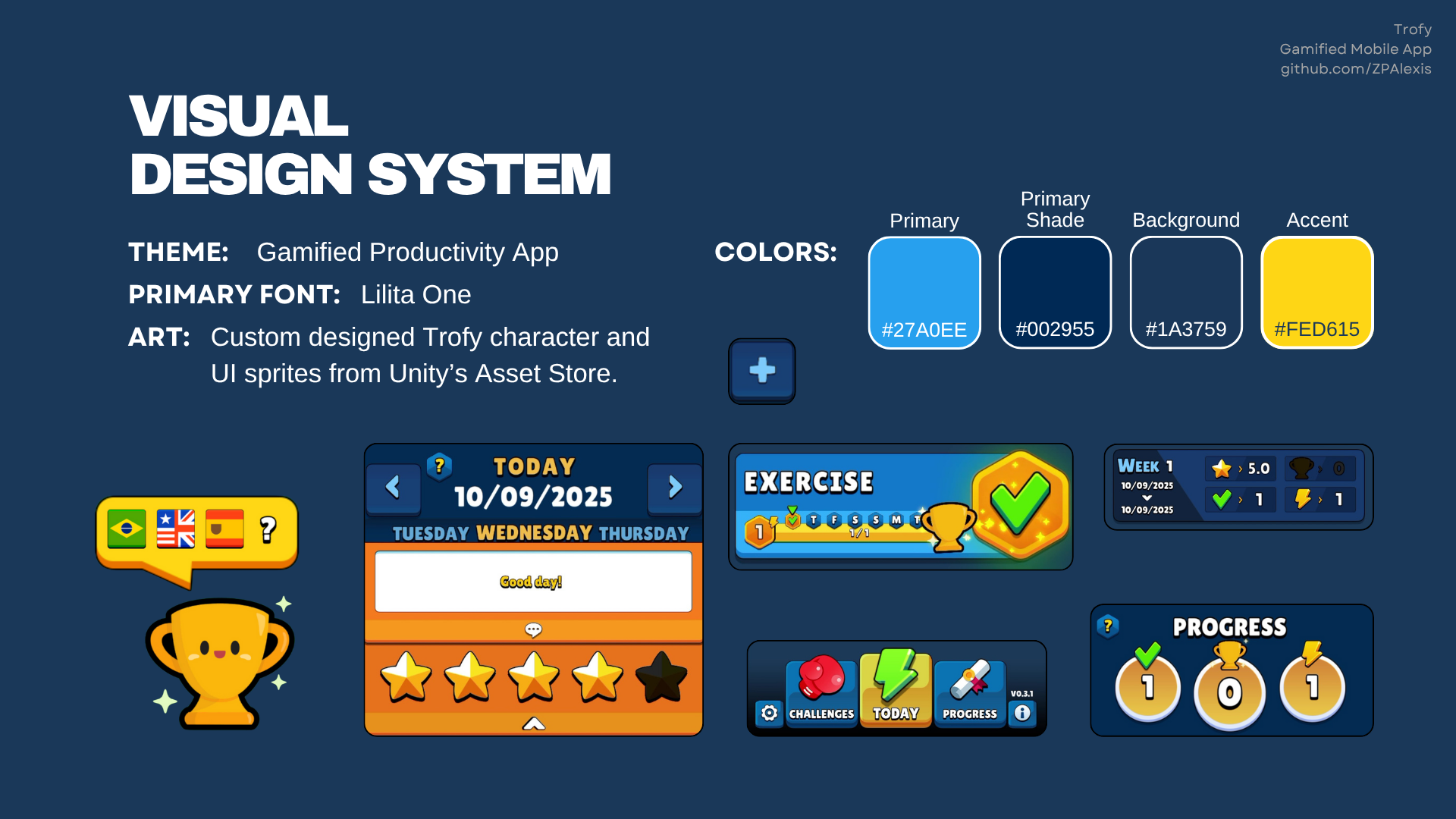
The goal with the visuals of Trofy was to make the whole experience feel like the user is playing a game. A “To-do” list is something you go back to checkmark what has been done, in Trofy you return to earn rewards on a game for completing those tasks. All elements used were purposefully chosen to resemble mobile games like Clash of Clans and designs from gamified apps like Duolingo.
Trofy's main character was custom designed and created with Photoshop, while the rest of the UI elements were paid assets acquired from Unity's Asset Store.

Wireframe
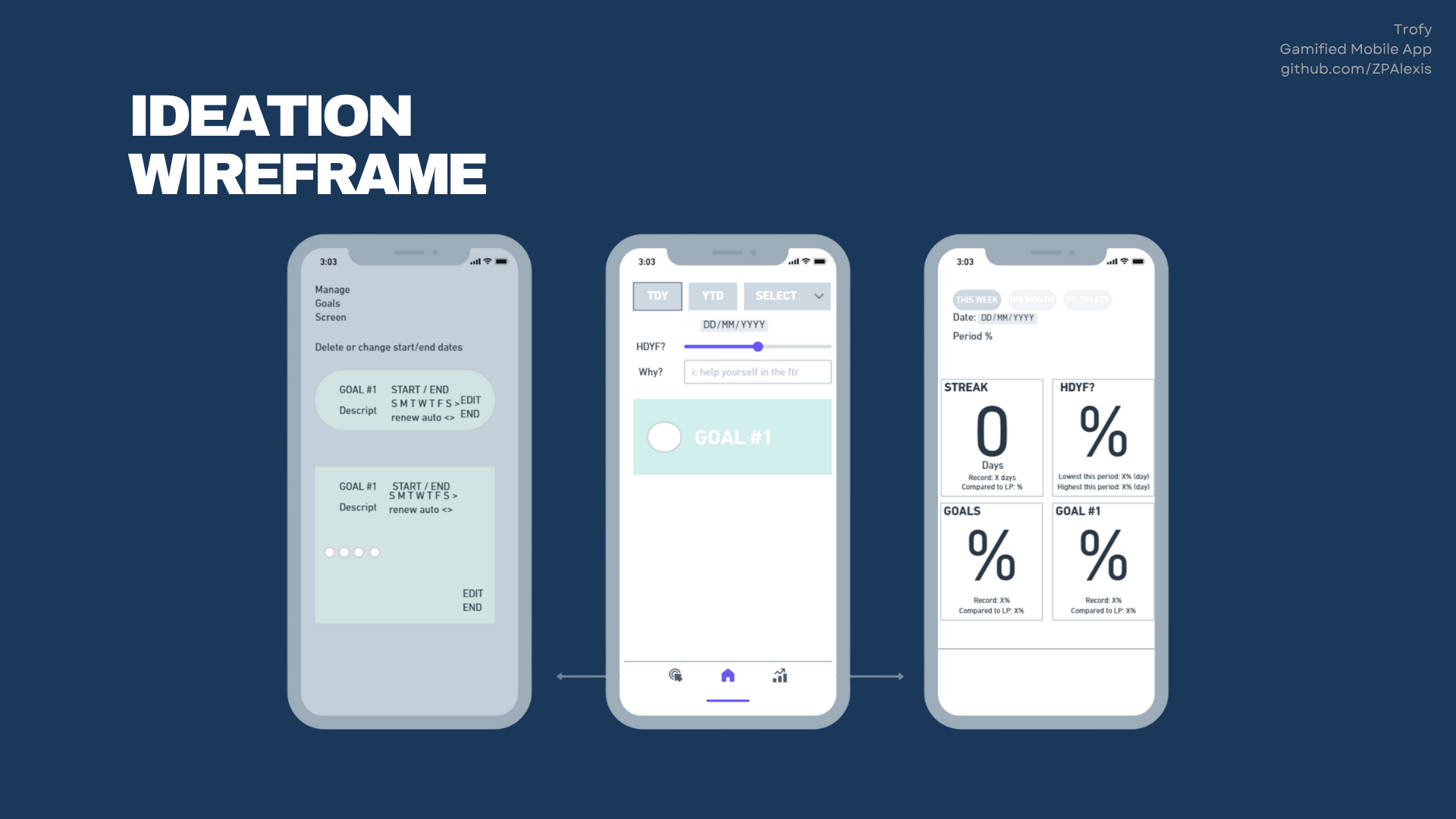
This is a simple wireframe that helped kick-start the project. The end result is far different than this example, but this process helped organize the information structure required for a better user experience.
Planning
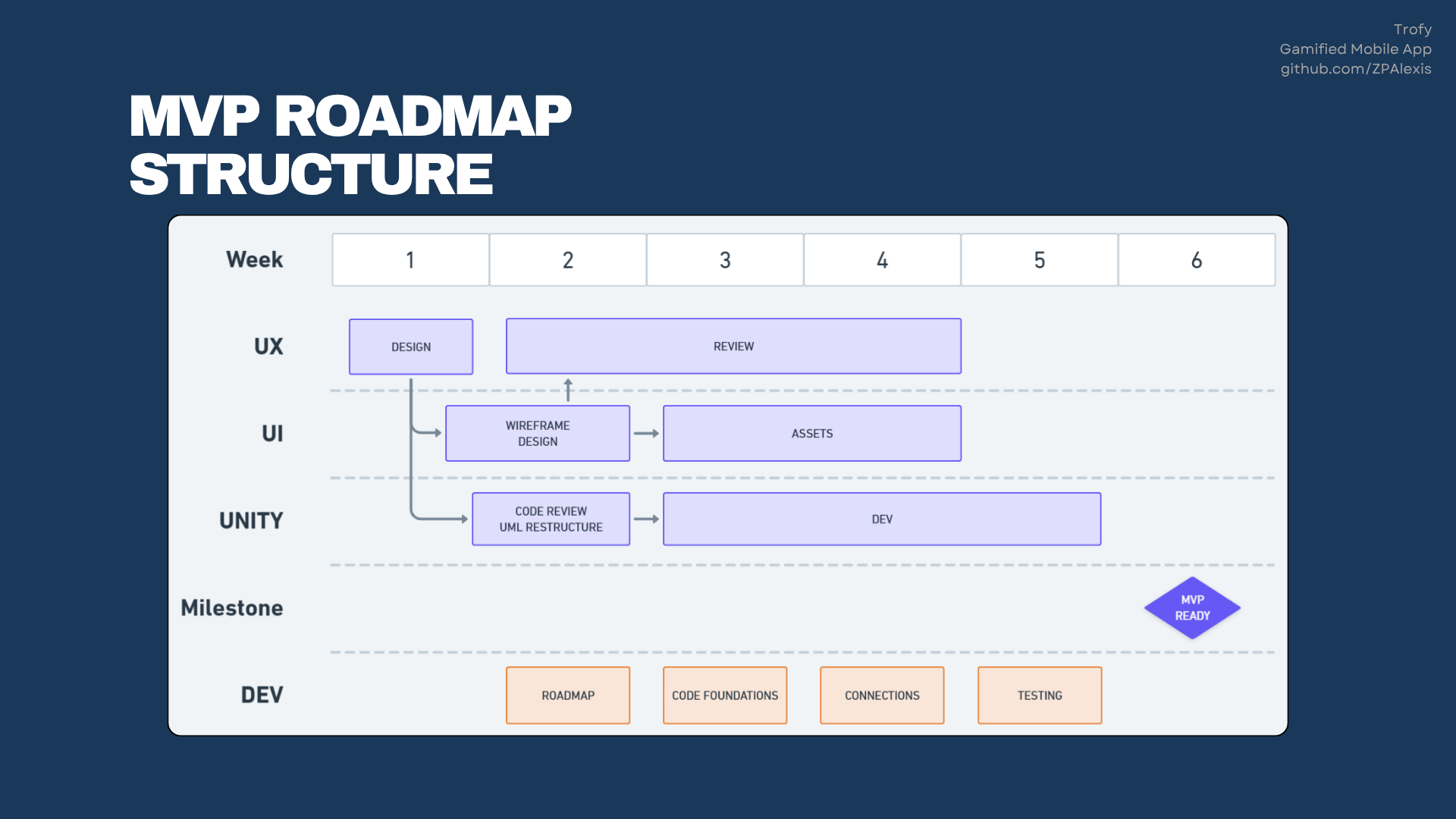
While this project was built as a test experiment on gamified experiences, the project's roadmap was structured the same was as if this was a client's project. The initial v0.1 MVP for Trofy was released for testing in six weeks, but the project stayed in development for a couple more months receiving updates up to v0.4 with the additions of the notification controller and fixes to issues found from user testing.
Demo
The app is available only on Android devices through an .apk file.
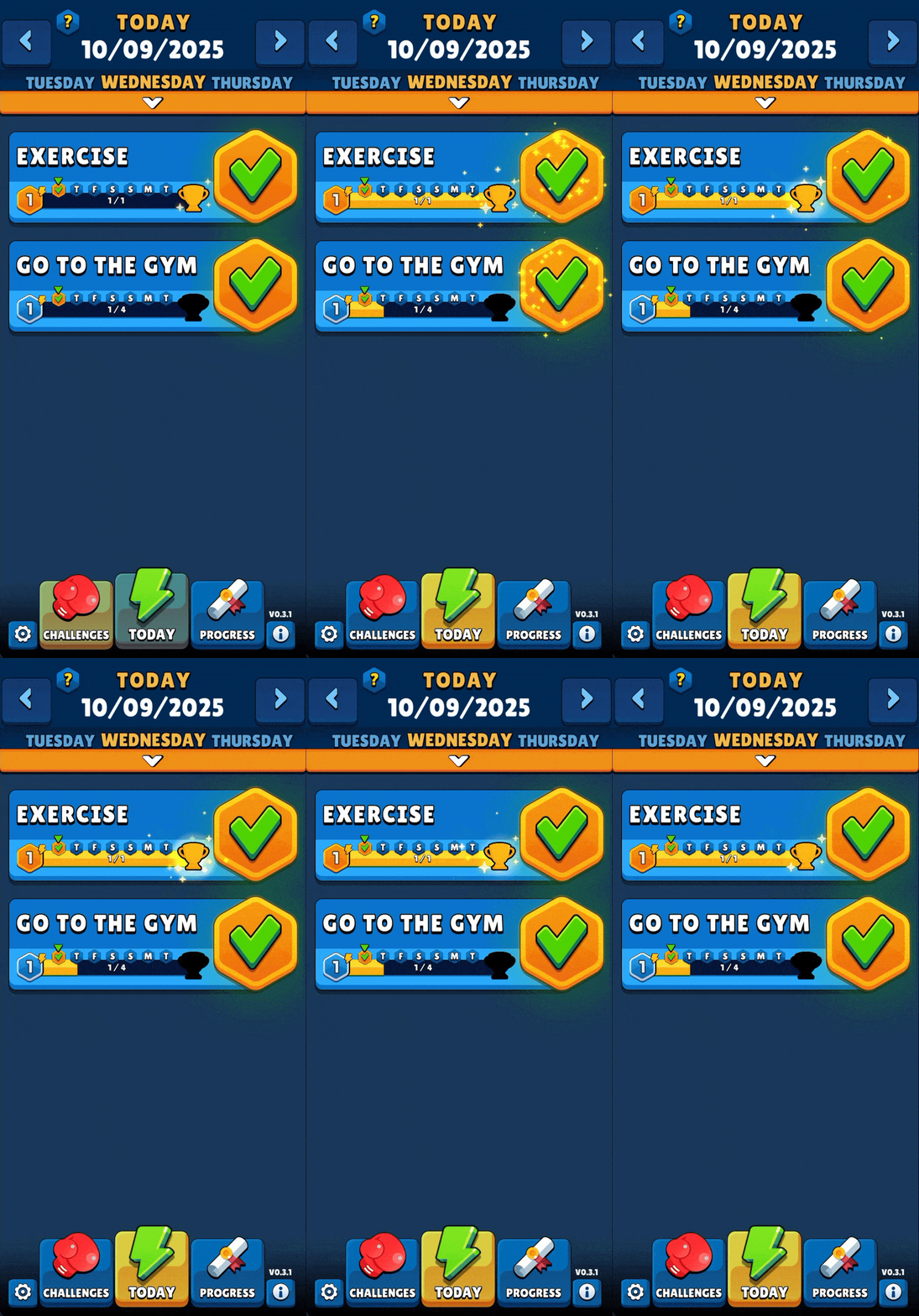
Unfortunately it wasn't possible to keep the app running on the iOS and Android stores, as both platforms required frequent updates to keep test apps available.
Learnings
This project covered most steps of product development, from ideation to release of an MVP test version for user testing on both iOS and Android devices. It also highlighted the possibilities of gamified applications through an engine like Unity, and further clarified the effort that would be needed to take this project all the way to a v1.0 release.
These are the most significant learnings and insights from this project:
- Gamified experience potential.
The experience crafted with the visuals and features of Trofy were a great first step to create a fully gamified experience, but it wasn't enough. To fully achieve that goal we would need to add support for user-driven competitions and community features for competing and sharing in-app objectives. This would require a significant time investment in structuring backend server structure that would go beyond the initial timeframe allocated for this project.
- Bridging the gap for a full release.
This project had a limited scope to ensure we delivered a working MVP that could properly communicate the value proposition envisioned with Trofy. Creating a sense of community with in-app competitions and leaderboards would be the next major pillar of focus before a full app release.
- Remote backend server support.
Trofy was developed to run fully locally and had no online functionality, which meant that our backend support was limited to the device's local storage to function. Proper backend setup with a Node.js server for user authentication, user data storage, and future community features would be the required next steps for a potential full release.
- Mobile apps with Unity Engine.
Unity provides one of the best solutions to easily port an application as a native mobile app with iOS Xcode and Android Gradle projects. The process is so smooth that there's very little code customization required to get the same application from one platform to the other. The only major difference we had to customize in Trofy was the notification system for different trigger structures in each platform.
- Coding with AI
This was the first time I tested the use of Artificial Intelligence chats for code review and it was an eye-opening experience. These tools are great for quickly building complex code, but they quickly become a detriment to the retention of information and re-application in future similar situations. I've learned that it's crucial to know how to discern when the application of the tool can truly be beneficial. There's a full statement on my usage of AI on our about page.
Thank you for checking out this project!
Explore other projects:

JIKO App
Productivity web app to monitor your focus sessions in real time and track your long-term performance trends.
WhatsApp Feed Automation
An automation engine that delivers RSS updates via WhatsApp, with participant management.
acoelho.dev
This site!
Full-stack portfolio website and showcase of gamified elements and experiences.
Game Prototypes
Games built to explore the foundations of game design and experiment with systems and gameplay mechanics.